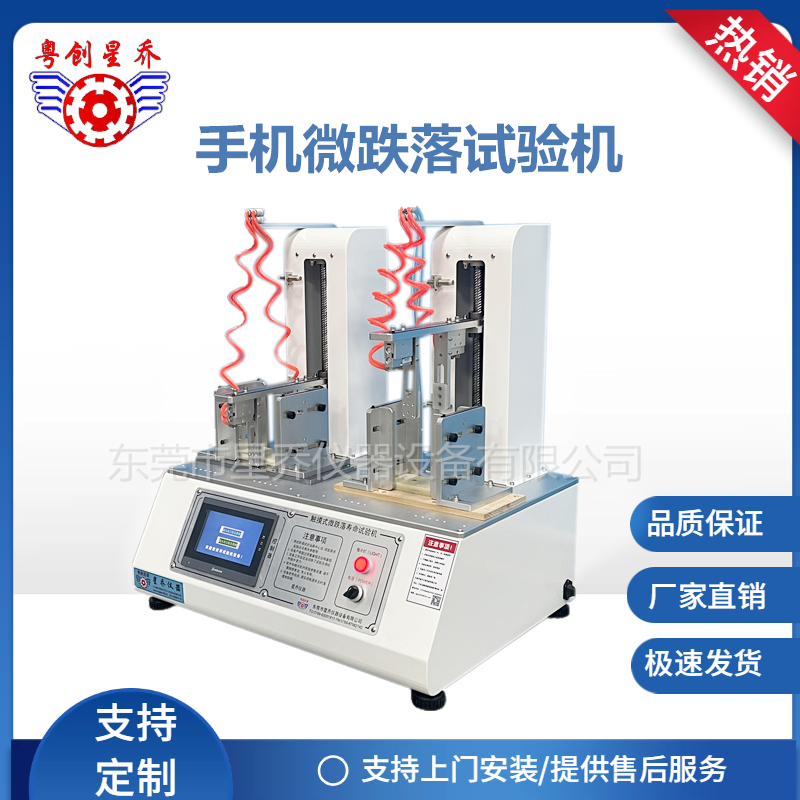
How is the basic operation of the drop test machine carried out?
The micro-drop testing machine is suitable for conducting repetitive drop tests on small electronic consumer products such as mobile phones, telephone receivers, walkie-talkies, MP3 players, CDs, and electronic dictionaries. Users can customize the detection and testing equipment according to their needs and set the number of drops to automatically stop. The drop surface material - the thickness of the aluminum is 12mm. It has a reminder function and can set the key drop count value, and can automatically stop the test. This machine uses a stepper motor and vacuum suction cups as the driving source for lifting and dropping the mobile phone and other products, enabling repeated drops of the products to test their impact resistance when dropped from a certain height.
Due to the use of pneumatic components and specific control methods, the testing speed is greatly improved; the action is programmed by a touch screen and PLC; independent counting, and the test will automatically stop when the set number is reached. The touch screen and PLC control can set and display data such as the test height and drop count. The fixture is placed in the lifting box through the flipping of the cylinder base plate, and all the test items are automatically dropped for a second drop.
General operation instructions for the drop test machine:
1. Confirm that the power supply meets the specified requirements;
2. Adjust the length and width of the fixture according to the size of the test piece to ensure that the test piece can freely drop within the fixture without flipping randomly;
3. Press the "Manual Lowering" button on the touch screen to raise the pneumatic fingers to a certain height, place the test piece in the fixture, and then press the "Reset" button;
4. Set the number of drops, drop height (i.e., displacement), and drop speed on the touch screen control panel;
5. After completing the above settings, press the "Start" button to enter the running state;
6. Press the "Stop" button to enter the shutdown state, press the "Reset" button, and then press the "Start" button to enter the running state again. 7. Pressing the emergency stop button on the panel will put it into a power-off state.